Scrollback and transparency
pcode doesn't take over your screen. Replies, diffs and command output go into your terminal's normal scrollback, and only the editor and a small activity panel at the bottom redraw. Everything you already do in a terminal keeps working: scroll with the mouse or tmux copy mode, find with your terminal's search, select and copy.
Choose what's in scrollback, then change your mind
pcode keeps the transcript it wrote, so it can rewrite your scrollback when you change what you want to see. A toggle doesn't just affect what comes next: the history already on screen is rebuilt to match.
A typical rhythm:
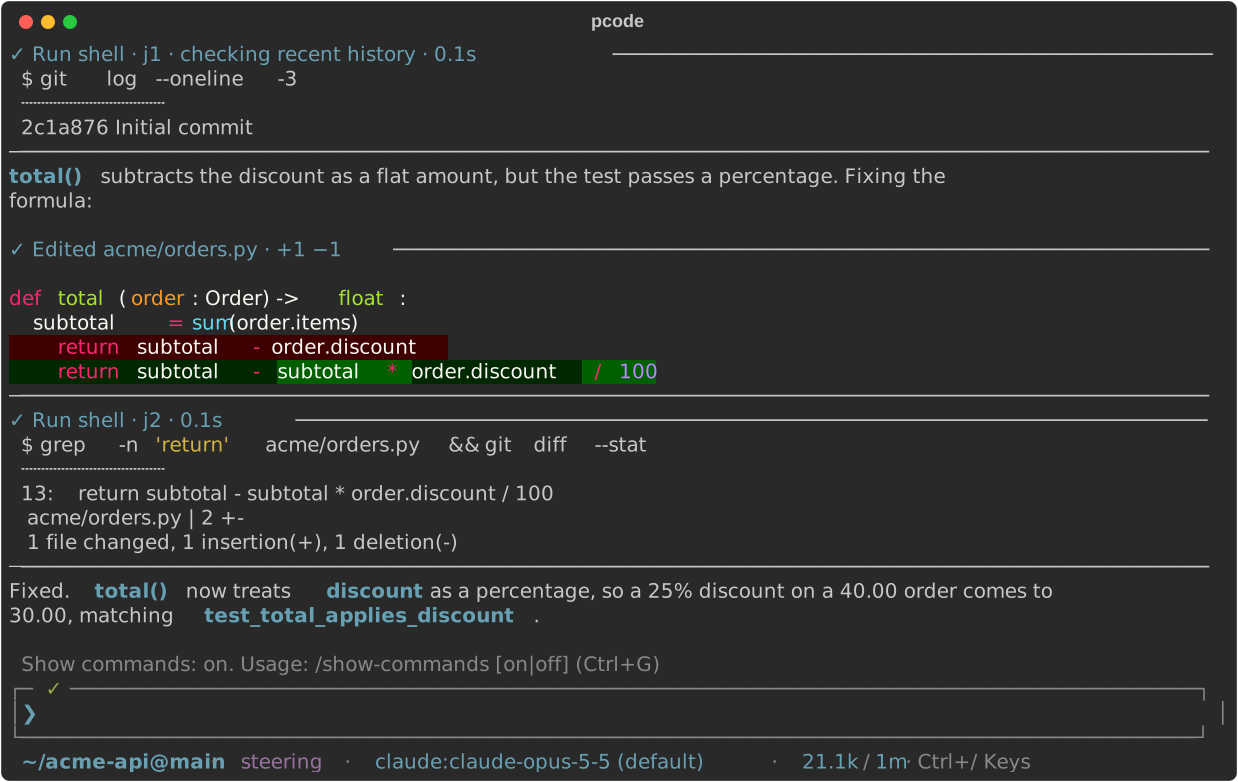
- While a tricky turn runs, press Ctrl+G to mirror every shell command and its output into scrollback, so you can watch the tests fail and pass.
-
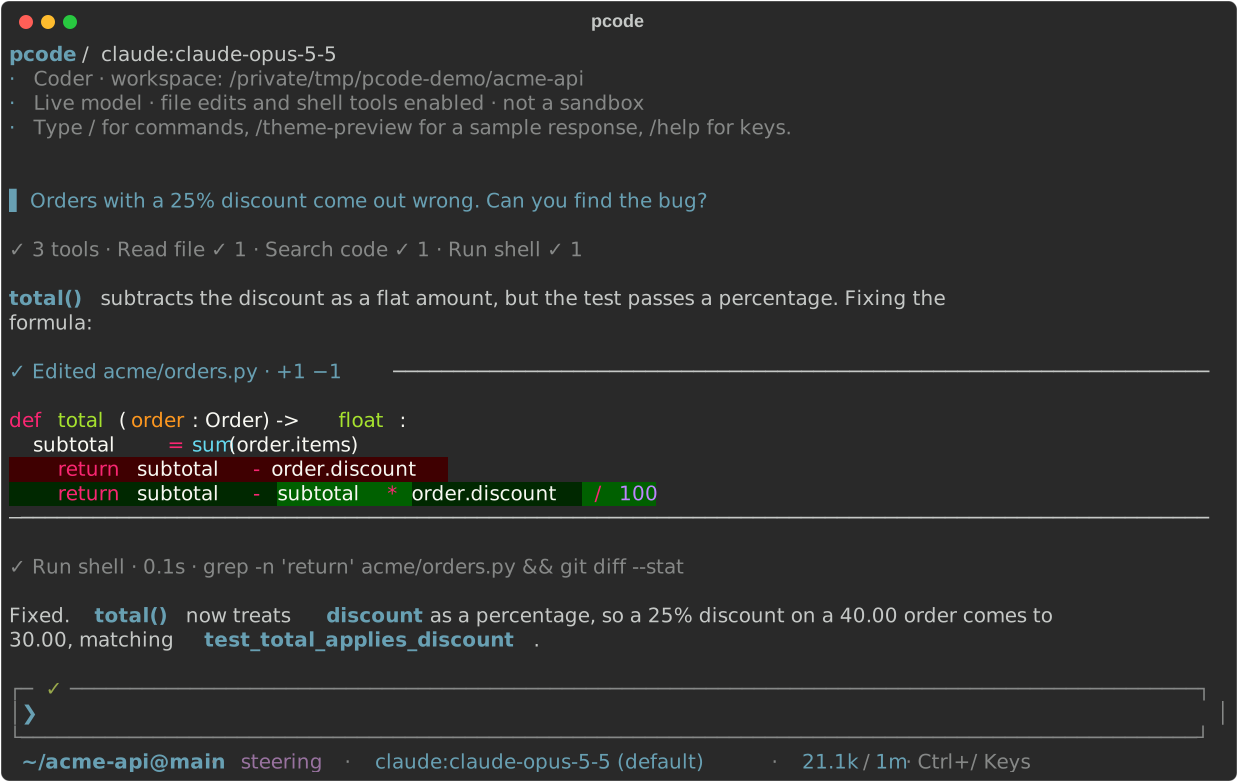
Once it's done, press Ctrl+G again. The same history comes back with the command output gone and each run of tool calls folded into one line, so the reply is easy to find:
✓ 15 ✗ 1 tools · Edit file ✓ 10 · Run shell ✓ 5 ✗ 1 -
Want a line per call instead? Ctrl+] (or
/group-tools off) unfolds them, again for the whole history.
Here is one turn both ways. First with commands hidden and the tool calls folded into a line:
Then the same history after Ctrl+G, rebuilt with each command and its output:
The toggles, each saved as your default:
| Toggle | Shows or hides |
|---|---|
Ctrl+G, /show-commands |
Each shell command and its output |
Ctrl+V, /show-edits |
The diff of each file edit |
/show-thinking scrollback |
The model's readable reasoning |
Ctrl+], /group-tools |
One line per run of tool calls (the default) or one per call |
Ctrl+O, /show-tasks |
The live task and tool panel above the editor |
Hidden isn't deleted. Thinking, diffs and command results are kept even while hidden, including in resumed sessions, so turning a toggle on later shows them for the whole conversation. Rebuilding never reruns a tool.
The same rebuild runs when you resize the terminal, so narrowing a pane doesn't
leave half-wrapped copies of the old layout behind, and /redraw does it on
demand. One thing to know: a rebuild clears the terminal's scrollback first,
including anything from before pcode started, then writes pcode's transcript
back. See the transcript for limits and settings.
Every command, nothing hidden: /tools
Summaries in scrollback are for skimming. When you want the full story,
/tools lists every tool call in the conversation, newest first, and works
while a turn is still running:
- the exact command or arguments, formatted for reading
- whether the model waited on it or ran it in the background
- how long it took and whether it failed
- the complete output the model got back
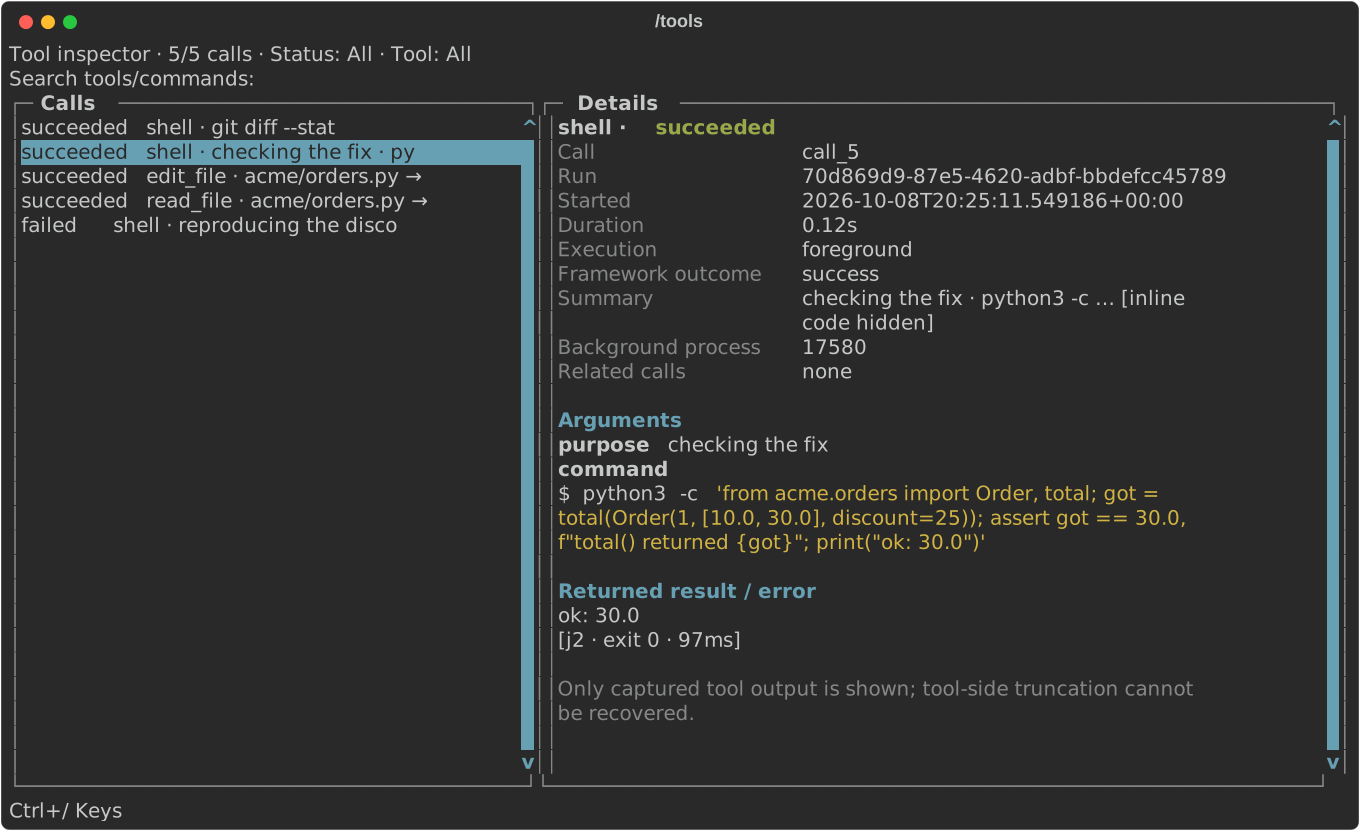
Type to search, press Ctrl+X to show only failures, and Ctrl+T to filter by tool. Ctrl+Y copies the command so you can run it yourself, and Ctrl+O copies the output.
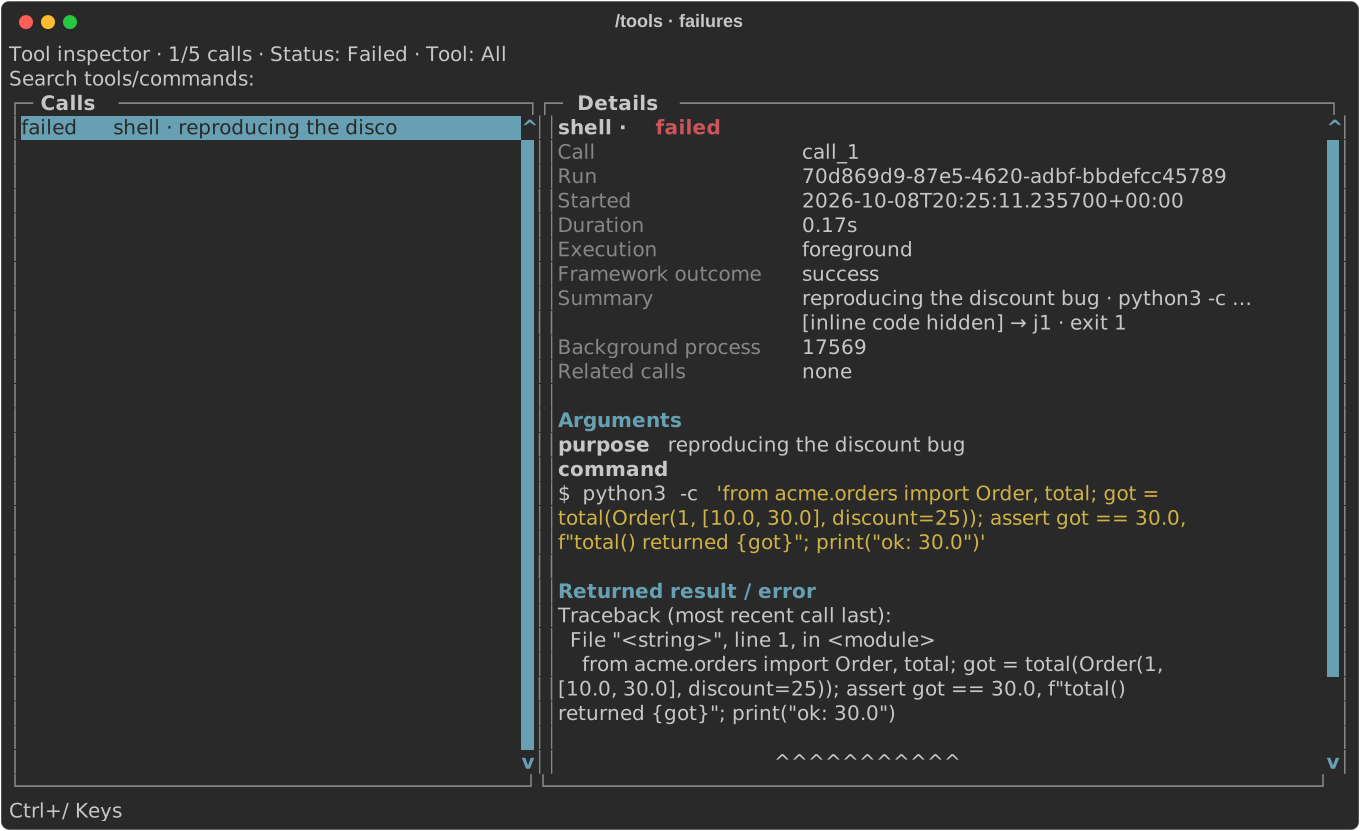
It works on resumed sessions too, so you can audit what an agent did last week. Opening it never reruns anything. See the tool-call inspector.
Review the changes: /diffs
/diffs shows the session's work as a git diff, every file in one scroll. It
opens on what changed since you last marked it reviewed, and notes you leave on
a line go back to the agent in your prompt when you close it. See the
diff browser.