Terminal setup
pcode draws inside your terminal, but two things it reports land outside the screen, in places your terminal owns: the session's name goes in the tab and pane titles, and a running turn shows as a progress bar on the tab or split. Run a few sessions side by side and those two signals tell you, without switching, what each one is doing and whether it's still working.
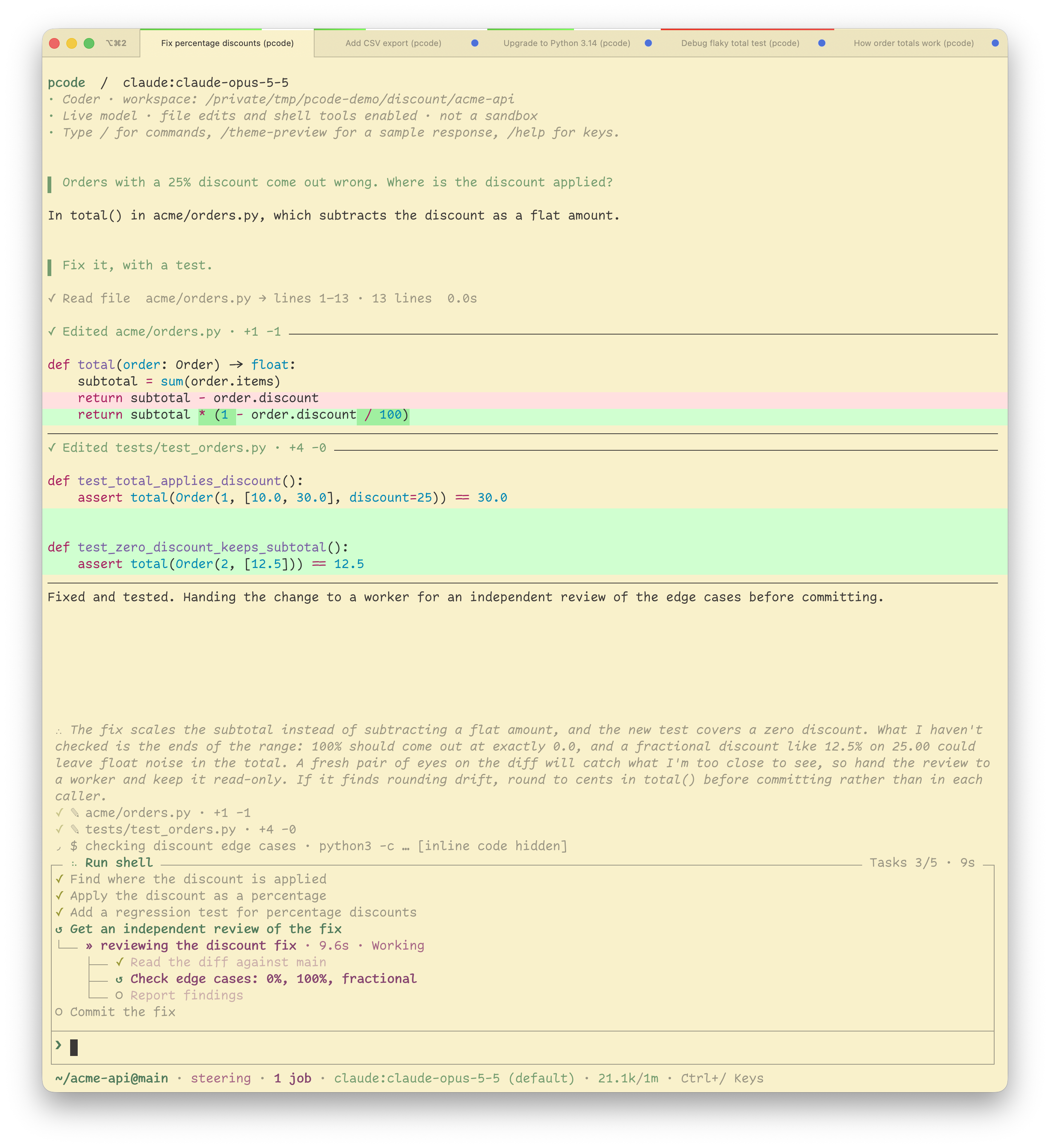
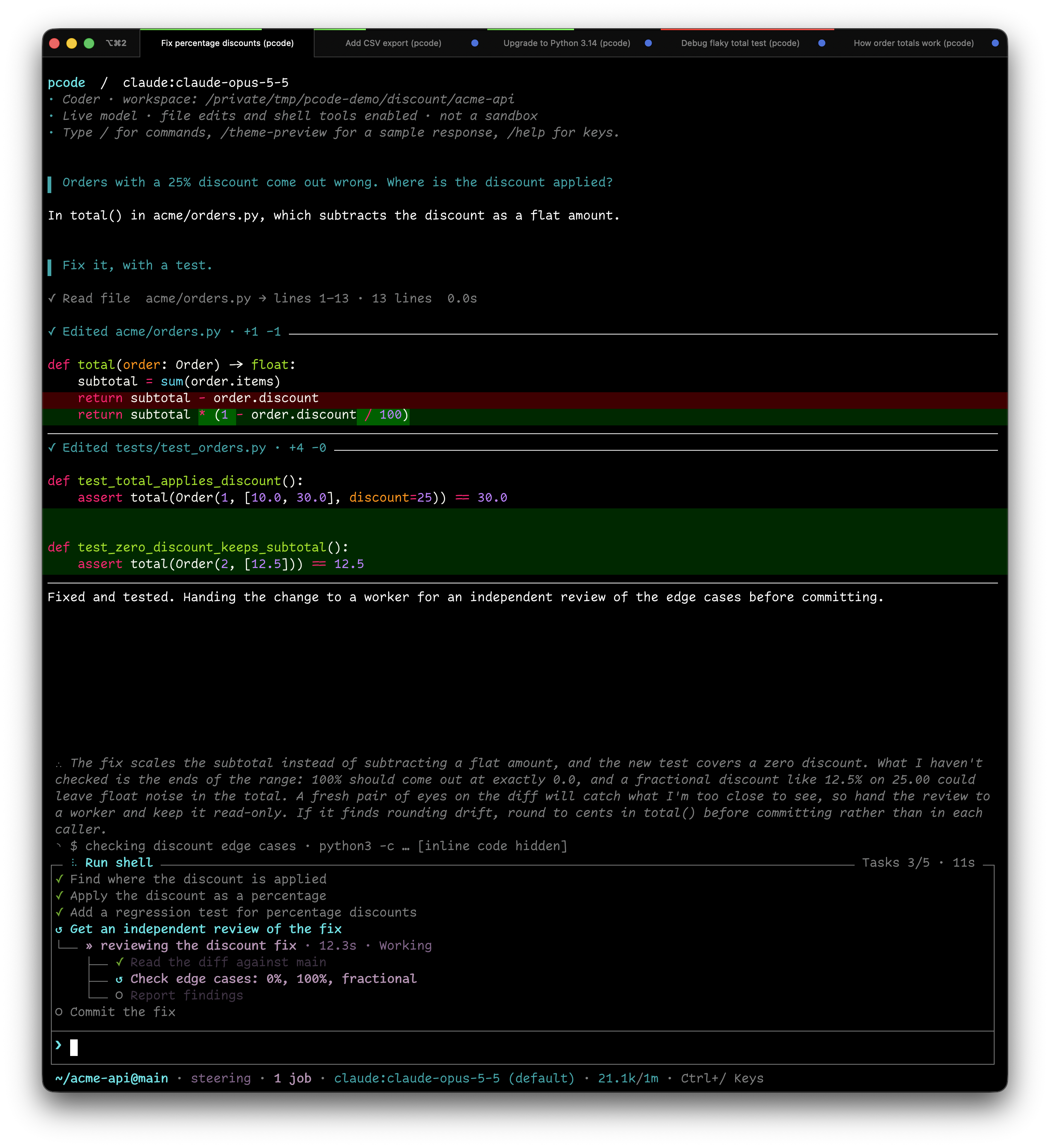
How they look (where the title shows, how wide a tab gets, how thick and what colour the bar is) is up to the terminal, so most of the tuning happens in its settings rather than pcode's. This page covers what pcode sends, then the settings worth changing in iTerm2 and tmux.
Tab and pane titles
Once a session has a name, from /rename or the
title its model gave it, pcode puts it in the
terminal's tab title, so a row of tabs reads as a list of tasks. It follows
/rename, /new and /switch. A session with no name yet leaves the title to
your shell, and on exit pcode puts back the title it found, in terminals that
keep a title stack (xterm, iTerm2, kitty, Ghostty and VTE terminals such as
GNOME Terminal, among others). Elsewhere the title stays until your shell's
prompt sets its own. pcode config set terminal_title off leaves the title
alone; like the progress bar setting, it is read when pcode starts.
The title belongs to the split pcode runs in. Ghostty and kitty show the focused split's title on the tab; iTerm2 and tmux can also give every split its own title bar, so each pane carries its session's name.
Progress bar
While a turn runs, pcode reports progress to the terminal itself (OSC 9;4), which draws it outside the screen: Ghostty and kitty as a thin bar along the top of the split, iTerm2 in the pane's top margin (or, from 3.7, as a ring around each tab while the tab bar shows), Windows Terminal in the tab, WezTerm wherever its Lua config puts it. A busy tab is visible from the others.
| Bar | Means |
|---|---|
| Moving, no fill | A turn is running |
| Filling | A turn is running with a plan; the fill is how much of the plan is done |
| Paused (orange in Ghostty) | A failed provider request is being retried |
| Error (red in Ghostty) | The last turn failed; any key in that terminal, or the next turn, clears it |
The fill is weighted by step size. The model can mark a step S, M or L, so one big implementation step counts for more than a quick check beside it. Unmarked steps count as M. The running step counts as half done, so the bar moves as soon as work starts, and cancelled steps drop out of the total.
--print shows the bar too, from launch until it exits (with --attach, while
the host works on the message or on the turns queued ahead of it), and takes
it down on exit. It goes to stderr, or to stdout when only that is a terminal,
so a reply piped elsewhere still leaves the bar on the terminal. When neither
is a terminal, nothing is sent.
The protocol carries only a state and a percentage, so the colours and
thickness are the terminal's: Ghostty uses the macOS accent colour for a
running bar, kitty uses its scrollbar_* colours, and iTerm2 lets
you pick both per profile. Hide it on the terminal's side with Ghostty's
progress-style = false or kitty's progress_bar hidden.
The terminal_progress setting decides who gets it. auto (the default)
sends it only to terminals whose environment variables say they draw it:
Ghostty, WezTerm, iTerm2 3.6.6 or newer, Windows Terminal, ConEmu, VS Code,
Warp, mintty, VTE 0.79 terminals (GNOME Terminal, Ptyxis) and Konsole 26.04.
An unknown terminal gets nothing, because some older ones (iTerm2 before
3.6.6, kitty before 0.38) show the sequence as a desktop notification instead.
kitty doesn't report its version, so auto leaves it out; on kitty 0.47 or
newer, set terminal_progress on. on sends it to any terminal, and
terminals that don't know it ignore it; off never sends it. The setting is
read when pcode starts.
iTerm2
These are the settings that change how pcode looks in iTerm2. None of them are needed; the defaults work, and these make the most of several sessions at once.
Settings > Appearance
- Under Panes, turn on Show per-pane title bar with split panes to give every split its own title bar, so each pcode pane shows its session's name. Without it, only the tab shows a title, and only for the focused split.
- Under Tabs, Stretch tabs to fill bar (on by default) lets tabs grow to use the whole bar. With a handful of tabs that's room for a full session name rather than a truncated one. Tab bar scrolls when tabs don't fit (also on by default) keeps every tab, and its name, in the bar once you have more than fit.
- Tab Bar Location set to Left stacks tabs vertically, one name per row, which suits long session names better than a row of narrow tabs across the top.
Settings > Profiles
- On the General tab, Applications in terminal may change the title must stay on (it is by default). With it off, iTerm2 ignores the session name pcode sends.
- On the Session tab (iTerm2 3.7 or newer), Progress bar height sets the bar's thickness in points (2 by default) and Progress bar color scheme picks Default, Rainbow, or a single colour.
In a Dynamic Profile the progress bar keys are "Progress Bar Height" and
"Progress Bar Color Scheme", and both need "Enable Progress Bars". iTerm2
3.6.6 draws the bar but has neither setting.
iTerm2's own status bar (Profiles > Session > Status bar enabled) is a separate feature; pcode doesn't write to it.
tmux
Inside tmux, pcode's name goes to the pane title (#T, or #{pane_title} in
formats). tmux 3.5 added allow-set-title, which is on by default; turning it
off makes tmux ignore the name. tmux shows nothing of the pane title until you
ask it to, and there are three places to put it:
set -g set-titles on                          # outer terminal's tab title
set -g pane-border-status top                 # a title line above each pane
set -g automatic-rename-format '#{pane_title}' # window names in the status line
set-titles(off by default) lets tmux set the outer terminal's tab title. The defaultset-titles-string,#S:#I:#W - "#T", puts the active pane's title after the session, window index and window name; set it to"#T"for the name alone.pane-border-status topdraws a status line on each pane's border. The defaultpane-border-formatincludes the pane title, so each session's name sits above its pane, much like iTerm2's per-pane title bars.- By default a window is named after the command in its active pane, so the
status line reads
pythonorpcode. Withautomatic-rename-formatset as above it shows the active pane's title instead. Panes running a shell show whatever title the shell sets, often the hostname, so you may prefer to scope this to one window withset -w.allow-renameis a different sequence that pcode doesn't send, so it has no effect here.
For the progress bar, the terminal is judged by what the tmux server's
environment inherited from the terminal it was started in (tmux replaces TERM
and TERM_PROGRAM). Turn on allow-passthrough (tmux 3.3 or newer, off by
default) so pcode can reach the outer terminal directly; it is the reliable way,
since Ghostty drops a report that is not refreshed within about 15 seconds and
pcode refreshes it every few. Without it, tmux 3.7 or newer forwards the
active pane's bar itself, but only when it changes, so a long turn's bar can
fade in Ghostty; older tmux drops it. Two pcode panes side by side share the
window's one bar, which shows whichever reported last.
set -g allow-passthrough on
For keys, mouse and clipboard inside tmux, see Newlines in tmux and the rest of Commands and keys.