A shell for long-running work
Most agents treat a slow command as a problem: they block on it, time out and
kill it, or poll it with sleep. pcode's shell treats slow commands as normal,
which makes it a good fit for work that lives in the terminal: CI runs, dev
servers, long test suites, deploys.
What happens to a slow command
Every command the agent runs becomes a job with an id (j1, j2, …) that
keeps running whether or not anyone is waiting on it.
- If the agent waits on a command and it runs past the wait's timeout, the command isn't killed. The agent gets the job handle back and can do other work, check on it later, or wait again.
- The agent can start a command in the background deliberately, and wait for a line of output ("listening on port 3000") instead of the exit, which is what a server needs.
- When a job finishes, the agent is told. It doesn't poll, and it's told not to
sleep. - If the agent has already finished its turn, a job it started finishing wakes it up: a new turn starts on its own so it can act on the result.
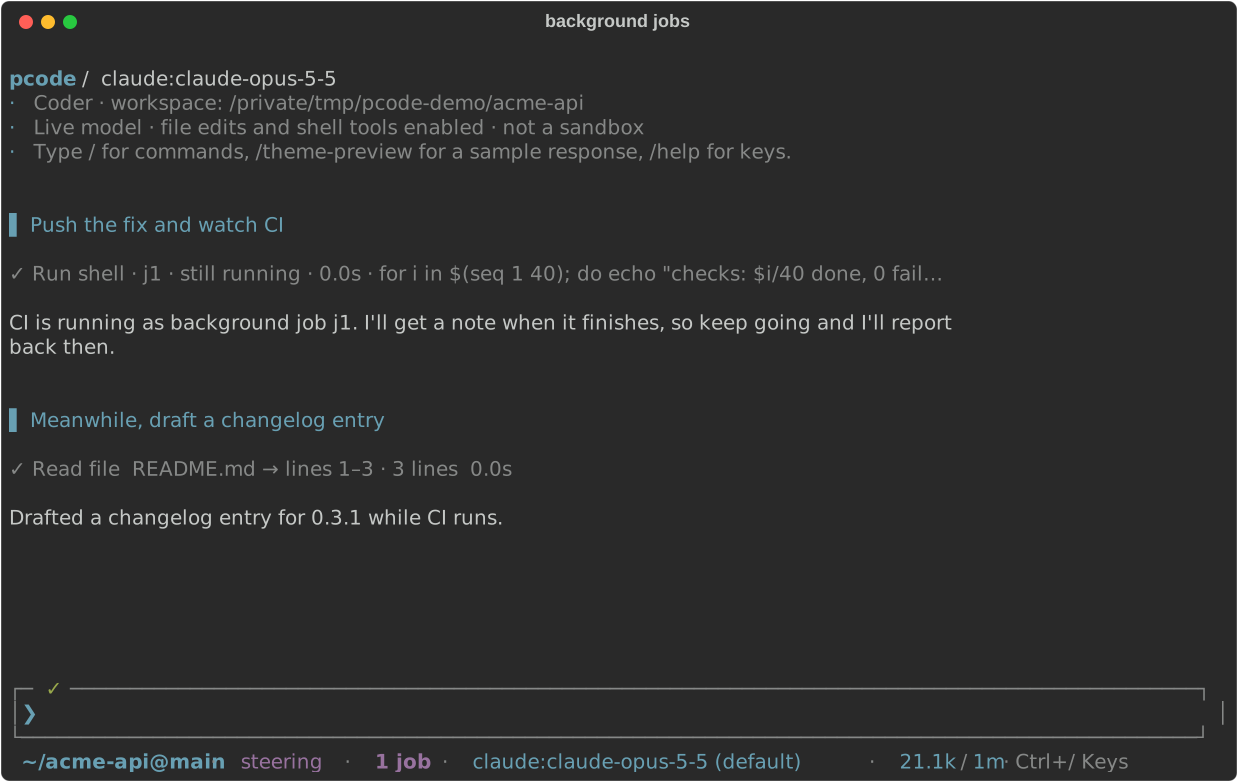
The footer below the editor shows 1 job or N jobs for all active jobs,
including those the agent is waiting on, and the count disappears when none
remain.
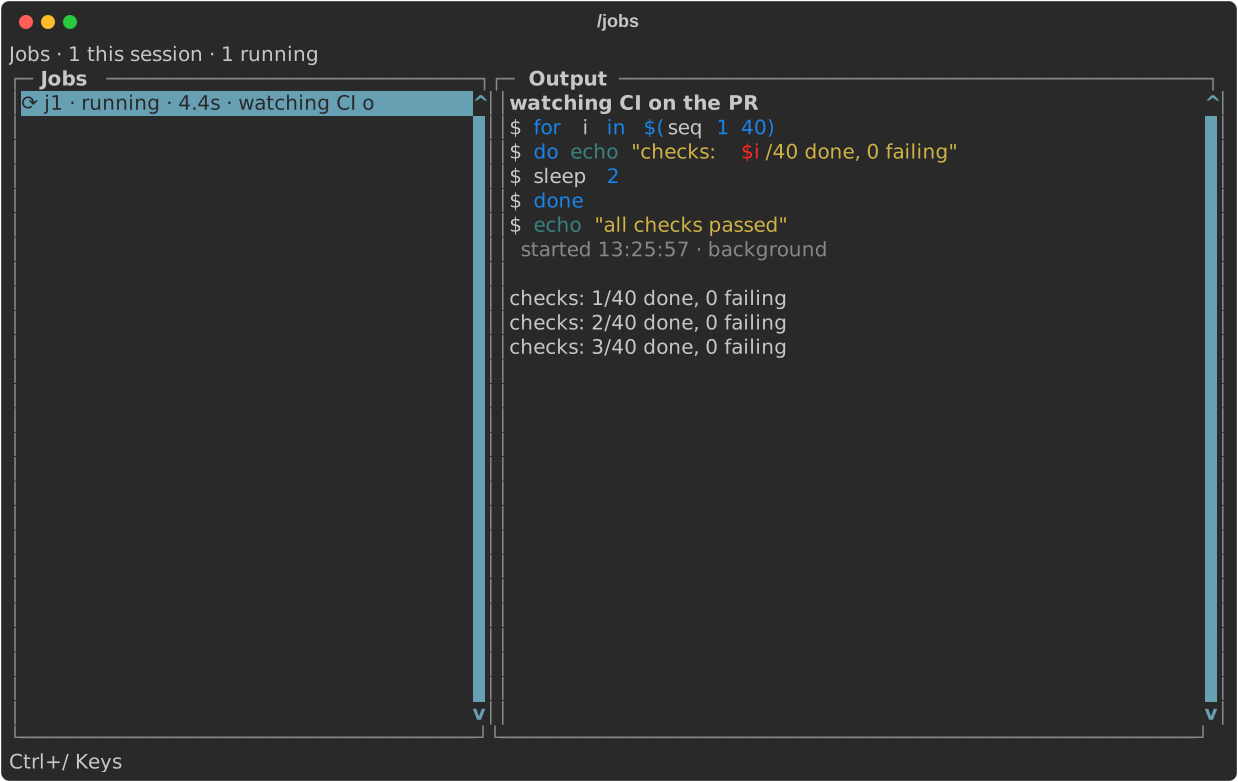
/jobs lists them beside each one's live output. Ctrl+W pins a job's output
into the preview and Ctrl+K stops it. Jobs outlive the turn and even pcode: if
you quit with a job running, the next pcode adopts it.
Example: watch CI and fix what fails
❯ push this branch, watch the CI run, and fix whatever fails
The agent pushes, then starts gh run watch as a background job and ends its
turn. You're free to keep working or walk away. When the run finishes, the job
exit wakes the agent. If CI is green it tells you; if not, it reads the failed
job's log, fixes the problem, pushes again and watches the new run.
The same pattern works for anything slow:
- "Start the dev server and check the signup flow in the browser." The server runs as a job, and the agent waits for its ready line before testing.
- "Run the full suite, and while it runs, write the release notes." The suite runs in the background while the agent writes.
- "Deploy to staging and tell me when the health check passes."
Staying in control
- Typing a follow-up while the agent waits on a command ends the wait, not the
command. In the default
steeringsend mode your message reaches the agent right away, and the job keeps running. - Ctrl+C means stop, so it also stops the command the turn was waiting on. A
job the agent explicitly backgrounded keeps running; stop it from
/jobs. pcode config set job_wake offturns off waking; the agent then hears about finished jobs at your next message.- Stopping a job stops everything it started, so a server releases its port.
For the details, see shell jobs. To run a command
yourself without asking the agent, prefix it with ! in the editor; see
!command.